
What if you could use powerful software without ever installing it on your laptop or phone?
SaaS/Software as a Service is a way of delivering software where you access it through a subscription by paying a fee monthly or yearly to use it.
Whether the provider handles all the updates, maintenance, and storage on their servers. You don’t have to do anything for maintenance.
By understanding it, you can make smarter choices about which tools fit your work, and you can avoid overspending and save money.
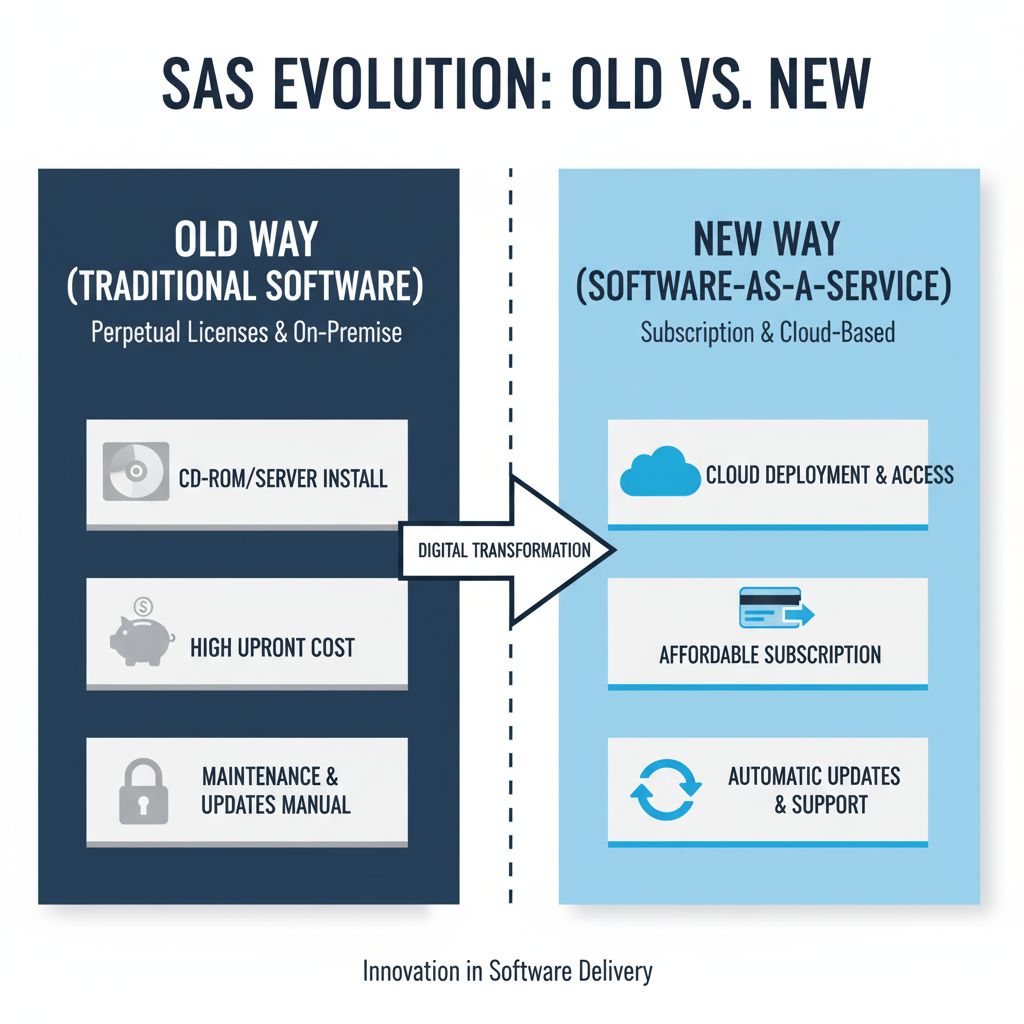
The Old Way vs. The New Way: Why SaaS is a Game-Changer
The Old Way: You bought software like Microsoft Office on a CD for a high one-time cost of hundreds of dollars and installed it on your PC.
You needed to install the software on each device, which was time-consuming and required technical knowledge.
Outdated Versions: Updates were rare. Often requiring you to buy a new version or download patches manually.
Local Storage: Data was stored on your device, so if your computer crashed or you lost a hard drive, you lost everything. You needed to buy it again.
Limited Access: You could only use the software on the specific device it was installed on, making remote work or switching devicesa hassle.
Example: Imagine you are buying a $200 copy of Adobe Photoshop and installing it on one computer and needing to upgrade your PC to keep it running smoothly. If you wanted to collaborate, you’d have to email files back and forth.
The New Way:
SaaS Subscription Model: Instead of paying a large amount, you pay a low monthly or yearly fee (e.g., $10/month for Adobe Creative Cloud). Thus making it affordable for most of the people.
Instant Access: No installation needed literally. Just log in to a web browser or app. You’re up and running in minutes; no tech skills are required.
Automatic Updates: SaaS providers handle updates so you always have the latest features and security without lifting a finger.
Cloud Storage: Your data is stored securely in the cloud and accessible from anywhere in the world and protected from any kind of problems (e.g., Google Docs saves your work instantly).
Work from Anywhere: SaaS tools on any device—laptop, phone, or tablet—perfect for remote work or on-the-go tasks.
Key Advantages
Cost Effectiveness: You have to pay a low monthly or yearly subscription instead of a large upfront cost for software.
Easy Access and Convenience:
You can have access to SaaS tools from any device with an internet connection via phone, laptop, or tablet.
Automatic Updates:
Companies will handle updates so you always have the latest features, security patches, and bug fixes without extra effort.
Cloud Storage and Data Safety:
Data is stored securely in the cloud, protecting it from device failures or any kind of loss.
Collaboration Made Simple:
SaaS enables real-time collaboration and lets multiple people work together easily.
Try Before You Buy: Many SaaS platforms offer free trials or basic plans. And thus letting you test before buying.
Common Use Cases for Beginners:
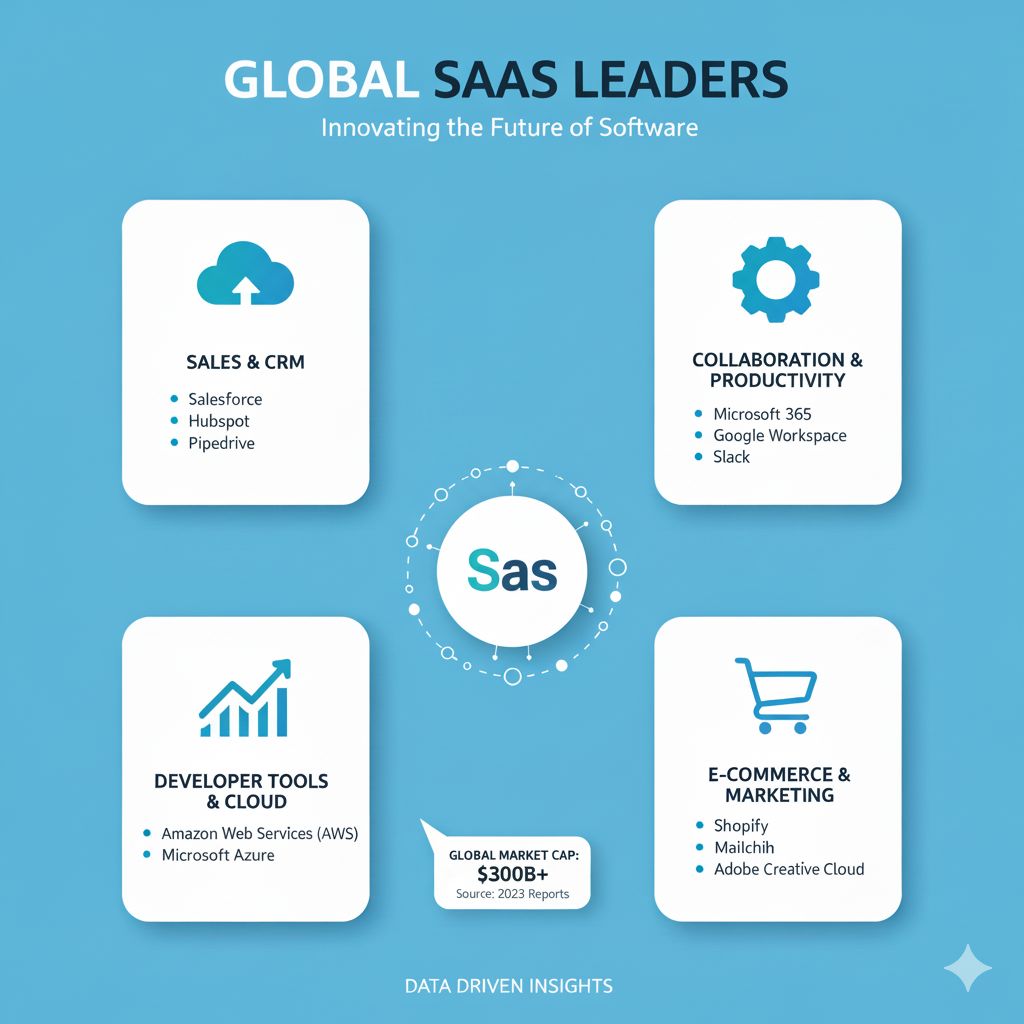
Personal Productivity Tools: Trello, Notion, Todoist
Use: Organize tasks, set reminders, and manage personal projects.
Example: A student using Notion to track assignments and create study schedules.
Small Business: QuickBooks, Square
Use: Manage finances, invoicing, and payments.
Example: A freelancer using QuickBooks to track income and expenses.
Collaboration and Communication Tools: Slack, Microsoft Teams, Zoom
Use: Connect with teams or clients for meetings.
Content Creation and Marketing Tools: Canva, Mailchimp, Buffer
Use: Create graphics, send email campaigns, or schedule social media posts.
File Storage and Sharing: Google Drive, Dropbox, OneDrive
Use: Store, organize, and share documents securely in the cloud.
Things to Consider When Choosing a SaaS Product:
Budget: You should understand the subscription costs.
Features: Matching tools that will fulfill your needs.
Security: data protection is always important. So you should consider it.
Support: Availability of customer service.
Trial periods: Must test before going to pay for subscription.
Getting Started with SaaS:
Identify your needs, then
Research SaaS options that are available to you (e.g., read reviews, compare features).
Sign up for free trials or freemium plans, then go for the premium version.
Explore and integrate the tool into your workflow; after that you will have a basic idea of how it works.
The world is changing, and we have to adapt to every new way of technology. SaaS is one of them, which is becoming a part of our life.
Read more about Trello vs. Notion vs. Todoist: The 5 Best SaaS Tools to Organize Your Life.