If you’ve ever wanted to build a beautiful, professional website but felt overwhelmed by code, you’ve probably heard of “no-code” builders. But even those can be complicated. Now, AI is changing the game, and Dorik is at the front of the line, claiming you can build a stunning website in minutes. But is that true? Or is it just another tool that overpromises and under-delivers?
As someone who lives and breathes tech, I get pitched new SaaS tools every day. Most are forgettable. Dorik, however, has created a serious buzz. This isn’t just another Dorik review; this is a complete deep dive. We’re going to test its AI, check its SEO, look at its pricing, and see who this tool is really for. Is Dorik the future of website building? Let’s find out.
(Full Disclosure: This post contains affiliate links. If you purchase Dorik through a link here, I may earn a commission at no extra cost to you. However, this review remains 100% my honest, unbiased opinion and personal experience.)
What is Dorik and What Makes It Different?
At its core, Dorik is a no-code, AI-powered website builder. This means you can create everything from a simple one-page portfolio to a full-blown blog or business site without ever writing a single line of HTML, CSS, or JavaScript.
But it’s different from older builders like Wix or Squarespace in two key ways:
- AI-First Approach: Dorik has fully integrated an AI website builder. You don’t just pick a template; you can give the AI a prompt (e.g., “Build a website for a financial consultant in New York”) and it will generate a fully designed, multi-page starting point with text and images in about 60 seconds.
- Focus on Simplicity & Performance: Unlike bloated platforms, Dorik is built to be lightweight and incredibly fast. It gives you the flexibility you need (unlike simple builders like Carrd) without the overwhelming complexity of a tool like Webflow.
It’s aiming for that “just right” sweet spot: powerful enough for professionals, but simple enough for total beginners.
A Deep Dive Into Dorik’s Core Features (My Honest Test)
A platform is only as good as its features. I spent hours testing every part of the Dorik ecosystem, from its AI generator to its Content Management System (CMS). Here’s the detailed breakdown.
1. The Dorik AI Website Builder: Is It a Gimmick?
This is the headline feature, so I tested it first.
- The Process: From the dashboard, you select “AI Website Builder.” It asks you for your website/business name and a short description. I created a test site for a fictional “FinTech AI Advisor.”
- The Result: In just under a minute, Dorik generated a 5-page website. This included a Homepage, an “About Us” page, a “Services” page, a “Blog,” and a “Contact Us” page. It created a logo, wrote all the initial copy, and picked out relevant, high-quality stock images.
- The Quality: I was genuinely impressed. The copy wasn’t generic; it was specific to “FinTech” and “AI.” The design was clean, modern, and fully responsive (it looked great on mobile).
My Takeaway: This is not a gimmick. It’s the best “first draft” generator I’ve ever used. You can’t just click “publish” and be done. You still need to go in and add your personal touch, real information, and brand colors. But it saves you from the “blank page” terror and gets you 80% of the way there in one minute. This feature alone is a massive time-saver and shows how AI is revolutionizing business processes, a topic we explore often in posts like The Rise of AI in Business Automation.
2. The Drag-and-Drop Page Builder (Dorik Classic)
After the AI generates your site, you edit it using the classic drag-and-drop builder. This is the heart of the platform.
- Ease of Use: It’s incredibly intuitive. The interface is clean. On the left, you have “Global Styles” (fonts, colors) and “Elements” (text, buttons, images, forms). You just drag what you want onto the page.
- Pre-Built Components: This is a huge win. Dorik comes with over 250+ pre-designed UI blocks (or “Sections”). Need a pricing table? Drag it in. Need a team section? Drag it in. This lets you build like you’re playing with LEGOs.
- Flexibility: You have granular control over everything—padding, margins, borders, and animations. It’s a “pixel-perfect” builder, so you’re not locked into a rigid template.
3. Dorik CMS for Blogging: Can It Compete with WordPress?
As a blogger, this was my biggest question. A website builder without a good CMS is a non-starter.
The Dorik CMS is surprisingly robust and is what I would use if I were starting a new blog today.
- The Interface: It’s a clean, distraction-free editor that feels very modern.
- SEO Features: You get dedicated fields for your blog post’s meta title, meta description, and social media (Open Graph) image. You can set your URL slug, add categories, and include tags. This is all you need for 99% of on-page SEO.
- Author and Post Control: You can add multiple authors (each with a bio), schedule posts for the future, and set a post as “featured.”
Dorik vs. WordPress for Blogging?
Let’s be clear: WordPress is still the king of complexity. You can add thousands of plugins for any function imaginable. But that is also its biggest weakness—it’s slow, needs constant updates, and can be a security nightmare.
Dorik CMS has all the essential features for blogging built-in. It’s faster, more secure, and infinitely easier to use. For 9 out of 10 bloggers, Dorik is the better, simpler choice.
4. Dorik SEO Capabilities: Will You Rank on Google?
A beautiful website that no one can find is useless. Here’s how Dorik stacks up for SEO:
- Site-Wide SEO: You can set global SEO settings and connect Google Analytics, Google Search Console, and Facebook Pixel with a simple ID.
- On-Page SEO: As mentioned, the CMS has full control over meta titles, descriptions, and slugs. All image elements have fields for alt text.
- Technical SEO: This is where Dorik shines.
- Sitemap: It automatically generates and updates your
sitemap.xmlfile. - SSL: A free SSL certificate is included on all plans (even free).
- Speed: Dorik sites are fast. They host on a global CDN, and the code is clean. My test site scored a 98 on GTmetrix out of the box. Site speed is a massive Google ranking factor.
- Sitemap: It automatically generates and updates your
You will have no problem ranking a Dorik website if you follow good content and backlink strategies.
5. Integrations: Connecting Your Business Tools
No platform is an island. Dorik plays well with the tools you already use.
- Direct Integrations: It has native integrations for Mailchimp, ConvertKit, Sendinblue, Google Analytics, and more.
- Payment Integrations: You can connect Stripe, PayPal, and Gumroad directly to payment forms. This is perfect for selling a simple digital product, service, or consultation.
- Zapier Integration: This unlocks thousands of other apps. You can connect your Dorik contact forms to a Google Sheet, your CRM, or almost any other tool.
- External Scripts: You can add custom code to the header/footer, so you can easily add tools like a live chat (Tawk.to, Crisp) or advanced analytics.
Who is Dorik Really For? (A Breakdown by User)
Dorik is not a one-size-fits-all solution. Here is who I believe gets the most value from it.
1. Freelancers and Solopreneurs
This is a perfect fit. You can build a stunning portfolio or personal brand website in an afternoon. The ability to add a contact form and a simple payment button means you can run your entire service business from one site.
2. Small Business Owners
If you own a local business (restaurant, consultancy, local shop) and just need a professional online presence, Dorik is a dream. The AI builder can create your site, and it requires zero technical maintenance. You can set it and forget it.
3. Bloggers and Content Creators
If you are starting a new blog, I highly recommend Dorik over WordPress. The speed, security, and built-in SEO features of the Dorik CMS are fantastic. You can focus on writing, not on updating 15 different plugins. It’s a simpler, more modern approach to blogging.
4. Agencies and Web Design Freelancers
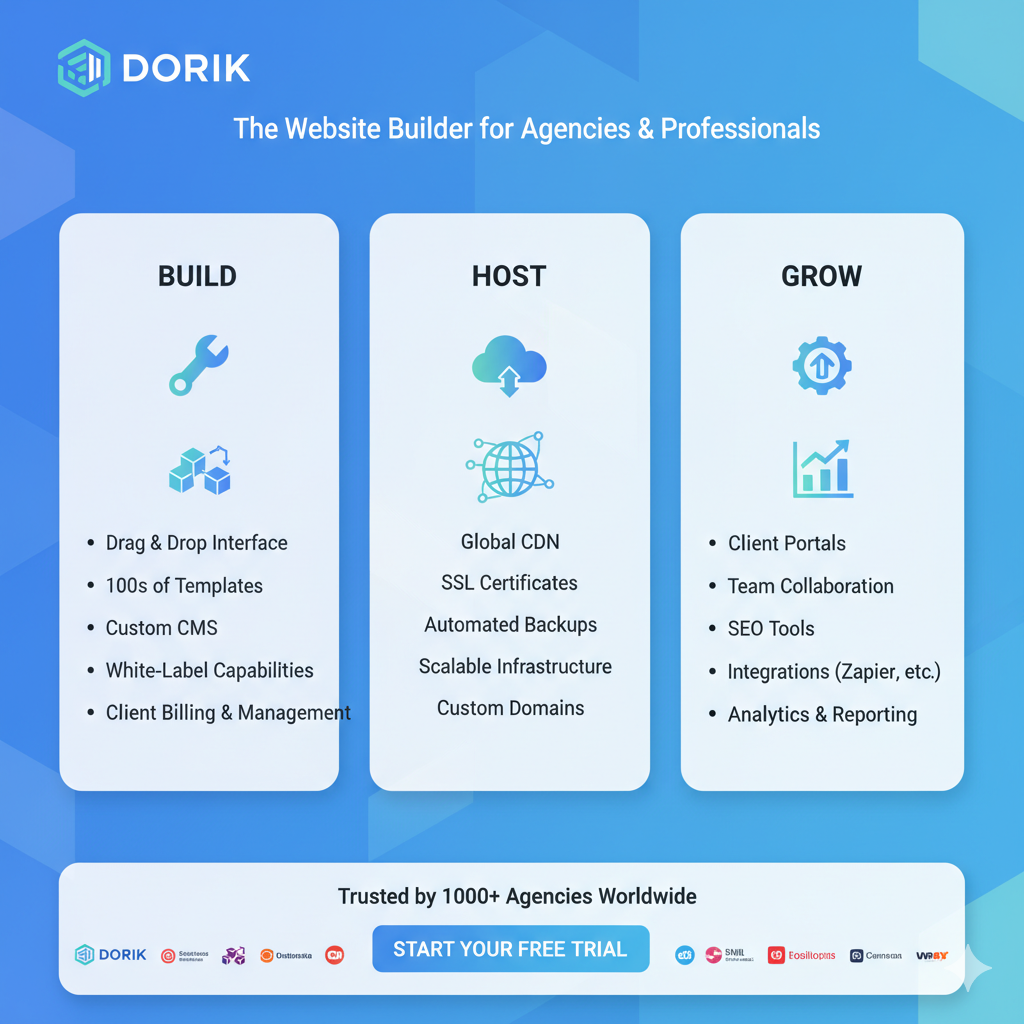
This is a hidden power-user group for Dorik. The Agency Plan is a game-changer. It allows you to “White Label” the platform. This means you can build websites for clients, give them a login to the CMS, and it will have your brand and logo, not Dorik’s. You can sell websites as a service, and your clients will never know you built their site in a fraction of the time.
Who is Dorik NOT For?
- Large-Scale E-commerce: If your main business is a 1,000-product online store, Dorik is not for you. You need a dedicated platform like Shopify. Dorik is great for selling a few products or services, but it’s not a full e-commerce backend.
- Hyper-Complex Web Applications: If you need a custom database, user logins, and complex logic, you’re looking for a more advanced tool like Bubble or a custom-coded solution. This isn’t a knock on Dorik; it’s just not what it’s built for. It’s built to make websites, not complex software.
Dorik Pricing Plans Explained (Is Dorik Worth It?)
This is often the most important question. Dorik’s pricing is one of its most attractive features.
1. The Dorik Free Plan
The Dorik free plan is one of the most generous I’ve seen. You get:
- Unlimited pages
- All standard building elements
- Free SSL certificate
- Hosting included
- The only real limitations are that you have to use a
dorik.iosubdomain (e.g.,my-site.dorik.io) and it will have a small “Made with Dorik” badge. It’s perfect for testing the platform.
2. The Personal Plan (Starts at ~$4/month)
This is the most popular plan. It gives you everything in the free plan, plus:
- Connect a Custom Domain (e.g.,
my-site.com) - Removes all Dorik branding
- Full CMS & Blogging capabilities
- Integrations
This plan is an incredible value. For the price of a coffee, you get hosting, security, and a full-featured website builder.
3. The Agency Plan (Starts at ~$29/month)
This plan includes everything from “Personal” and adds:
- White Labeling: Brand the platform as your own for clients.
- More Websites: Build up to 100 websites (or more) on one plan.
- Team Collaboration: Add team members to your account.
The Famous Dorik Lifetime Deal (LTD)
From time to time, Dorik offers a Lifetime Deal. This is a one-time payment that gives you access to a plan forever. This is, without a doubt, one of the best investments you can make for your online presence. You pay once and never have to pay a monthly or yearly subscription for your website again.
Is it worth the money? 100%. The value is exceptional. A single year of a competitor like Wix or Squarespace can cost more than Dorik’s lifetime deal. Deciding on the right tools is a core part of modern investment strategies for any digital business.
Dorik vs. The Competition (An Honest Comparison)
How does Dorik stack up against the giants of the industry?
- Dorik vs. WordPress: WordPress is more flexible but infinitely more complex. You are responsible for hosting, security, and updates. Choose Dorik if you value speed, security, and ease of use. Choose WordPress only if you need a very specific plugin that Dorik doesn’t support.
- Dorik vs. Webflow: Webflow is a tool for professional designers who want to create complex, award-winning animations. Its learning curve is a vertical wall. Choose Dorik if you want to build a beautiful site fast. Choose Webflow if you are a full-time designer with weeks to learn a new tool.
- Dorik vs. Wix/Squarespace: Dorik is very similar in its target audience but wins on two fronts: 1) Performance: Dorik sites are generally much faster and have cleaner code. 2. Price: Dorik’s plans are significantly more affordable, especially the Lifetime Deal.
- Dorik vs. Carrd: Carrd is a fantastic tool for one-page websites. Dorik is a complete, multi-page solution with a full-fledged CMS and blog, putting it in a different, more powerful category.
A Quick Look at the Dorik Affiliate Program
Since this is a tech and business blog, I wanted to touch on this. Dorik has an excellent affiliate program that is perfect for bloggers, YouTubers, and agencies.
They offer a 30% recurring commission on all monthly and yearly plans. This means if you refer a customer, you get paid every single month they remain a customer. For lifetime deals, they offer a generous one-time commission.
This is a great opportunity for those in the tech or small business niche to partner with a product they can genuinely recommend. It’s a win-win that provides real value to your audience while creating a new revenue stream.
My Final Verdict: The Pros and Cons After Testing
So, after this complete review, what’s the final word? Here are my honest pros and cons.
What I Loved (The Pros)
- Incredible Ease of Use: It’s genuinely the easiest builder I’ve used that still produces professional results.
- The AI Builder: This is a true game-changer that saves hours of work.
- Amazing Performance: My site was blazing fast with no optimization. This is great for SEO and user experience.
- The Price: The value is unbeatable. The free plan is generous, and the paid plans (especially the LTD) are a steal.
- Excellent CMS: The blogging platform is clean, simple, and has all the essential SEO features.
- All-in-One: Hosting, SSL, CDN, and builder are all in one package. No technical headaches.
What Could Be Improved (The Cons)
- Fewer Integrations than WordPress: It has the essentials (Stripe, Zapier), but it doesn’t have the 50,000+ plugins of WordPress. This is also why it’s faster, so it’s a trade-off.
- Not for Large E-commerce: As mentioned, it’s not a Shopify replacement.
- Limited CMS Fields: You can’t add custom CMS fields like you can in Webflow or WordPress (with plugins). For 99% of blogs, this doesn’t matter, but it’s a limitation for complex data-driven sites.
Dorik is a 9.5/10 for its target audience. It has found the perfect balance between simplicity, power, and price. It respects your time by making building a website fast and fun.
This platform feels like the future, simplifying complex technology, much like the concepts we explore in The Future of Tech: Understanding dApps.
If you are a freelancer, blogger, or small business owner, I can’t recommend Dorik enough. Stop fighting with complicated tools and just get your site online.
Frequently Asked Questions (FAQ) About Dorik
1. Is Dorik good for beginners?
Yes. Dorik is arguably the best website builder for beginners in 2025. The AI builder and drag-and-drop interface make it possible for someone with zero experience to build a professional site.
2. Can Dorik be used for e-commerce?
For simple e-commerce, yes. You can use “Payment” elements to sell services or digital products through Stripe and PayPal. It is not designed for a large, multi-product store with a shopping cart and inventory management.
3. Is Dorik good for SEO?
Yes, Dorik is excellent for SEO. It gives you full control over meta titles, descriptions, and alt text. Most importantly, it’s incredibly fast, includes a free SSL, and auto-generates a sitemap, all of which are critical for high Google rankings.
4. How does the Dorik AI website builder work?
You provide a simple text prompt describing your business. The AI then generates a complete, multi-page website with relevant text, images, and a layout. You can then edit this generated site using the standard drag-and-drop builder.
5. What are the limitations of the Dorik free plan?
The two main limitations are that you must use a dorik.io subdomain (you can’t connect your own domain) and your site will have a small “Made with Dorik” badge.
6. Does Dorik have a lifetime deal (LTD)?
Dorik is famous for its lifetime deal, which it offers from time to time. This is a one-time payment that gives you lifetime access to a plan, saving you thousands in subscription fees.
7. Can I build a blog with Dorik?
Absolutely. Dorik has a built-in CMS (Content Management System) that is specifically designed for blogging. It’s clean, fast, and has all the necessary SEO features.
8. Dorik vs. WordPress: which is better?
For most users, Dorik is better. It’s easier, faster, more secure, and cheaper (hosting is included). WordPress is only better if you need extreme customization and a specific, complex plugin that Dorik doesn’t offer.
9. Can I customize Dorik templates?
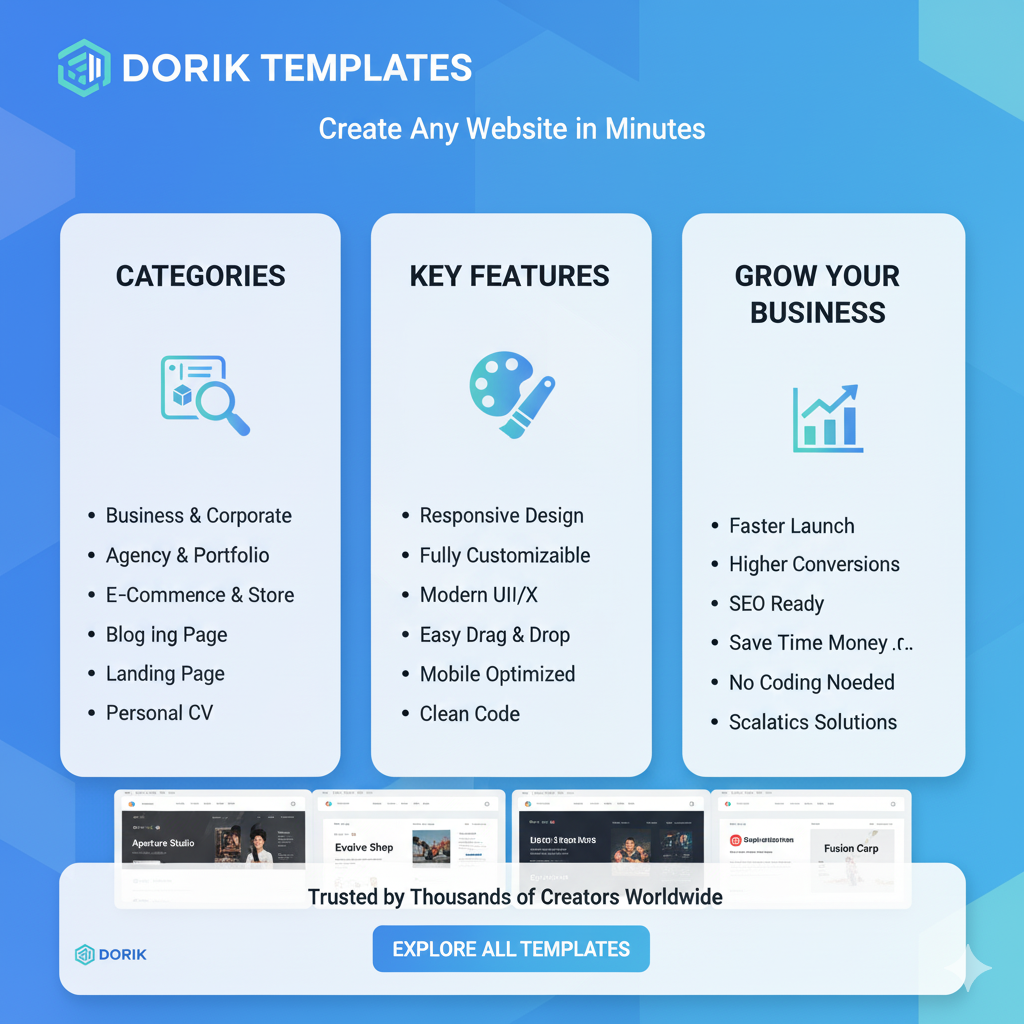
Yes. You have 100% control. You can start with a template or an AI-generated site and change every single element, color, font, and layout.
10. What integrations does Dorik support?
Dorik supports direct integrations with tools like Stripe, PayPal, Mailchimp, Google Analytics, and Facebook Pixel. It also has a Zapier integration, which connects it to thousands of other applications.
11. Is Dorik hosting fast and reliable?
Yes. All Dorik sites are hosted on a global CDN (Content Delivery Network). This means your site is served from a server close to your visitor, making it load extremely fast anywhere in the world.
12. What is Dorik’s white label feature?
The white label feature (available on the Agency plan) allows you to rebrand the Dorik platform with your own logo and branding. This is for agencies who want to build sites for clients and give those clients a “branded” CMS login.
13. Can I export my site’s code from Dorik?
Yes. On paid plans, Dorik allows you to export the static HTML, CSS, and JavaScript files for your website, which you can then host anywhere you want.
14. What kind of customer support does Dorik offer?
Dorik offers customer support through live chat and email. In my testing, their team was responsive, knowledgeable, and helpful. They also have an extensive help documentation library.
15. Is Dorik worth the money in 2025?
Yes, 100%. Given its powerful AI features, ease of use, fast performance, and incredibly low price point, Dorik offers some of the best value for money in the entire SaaS industry.